Team management
MLM Downline Manager Software
A genealogy view answers what the organisation looks like. A downline manager answers what to do on Monday morning. The difference is segmentation: turning eight hundred positions into four short lists of people who need something specific this week.
What you get
Outcomes operators report after moving onto the platform.
Segments, not a tree
Lapsed since last period, never placed a first order, one order short of a rank, active but declining. Standing lists, recomputed each period.
Change alerts that are actionable
A leader is notified when a downline distributor lapses, ranks up, misses a qualification by a small margin, or stops ordering after a consistent run.
Rank gap, per person
For each downline distributor: the requirement, the current figure, the gap and whether it is closable in the remaining days of the period.
Follow-up that persists
Notes and next-contact dates against a downline record, visible only to the leader, so a team of two hundred does not depend on memory.
Leg and branch comparison
Volume, activity rate and growth by leg or branch, so a leader can see which part of the organisation is actually moving.
Contact access by policy
Whether a leader can see contact details beyond their personally sponsored distributors is your decision, enforced per rank.
MLM Downline Manager Software
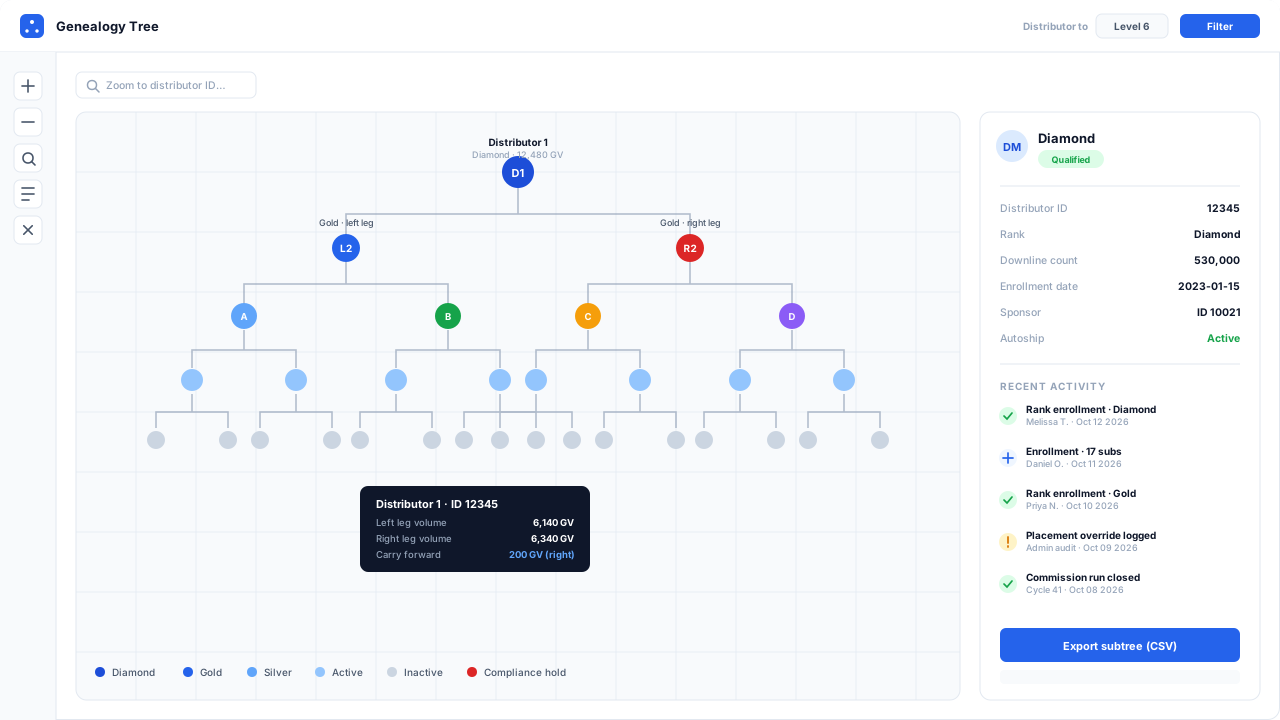
Interactive genealogy tree with rank badges, distributor detail panel and recent enrollment activity feed
From a tree to a work list
A leader with eight hundred people in their organisation does not have a visibility problem. They have a prioritisation problem. The genealogy shows all eight hundred; what they need is the twelve who need something this week.
That is the whole job of a downline manager, and it is done with segmentation rather than visualisation.
The four segments that pay for themselves
| Segment | Why it matters | Window |
|---|---|---|
| Lapsed after consistent activity | cheapest retention win available | days, not weeks |
| Enrolled, never ordered | recoverable early, rarely later | first three weeks |
| Close to a rank, period ending | a specific conversation, a specific outcome | remaining days of the period |
| Declining while still “active” | invisible to an active/inactive flag | one to two periods before lapse |
The fourth is the one most platforms miss entirely. A distributor who ordered 400 a month for a year and has ordered 120 for the last two months is still flagged active, still counts toward qualifications, and is most of the way out the door. A binary active flag cannot see that. A trend can.
Everything beyond these four — depth bands, join cohorts, geography — is genuinely useful and is refinement. If a downline manager gets these four right and nothing else, it has done its job.
Alerts, with a deliberate limit
A leader is notified when a downline distributor lapses, ranks up, misses a qualification narrowly, or breaks a consistent ordering pattern. In-app and as an email digest, per event type, configurable by the distributor within limits you set.
The limit matters. Alerting on everything produces the same outcome as alerting on nothing, faster. The default here is a weekly digest with the four segments and their counts, plus immediate notification for rank changes only — because a rank change is time-sensitive recognition and everything else can wait until Monday.
Notes that outlive memory
Each downline record carries private notes, timestamped, with an optional next-contact date that produces a simple due list. Private means private to that leader: not visible to the distributor, not visible to their upline, not visible to corporate except where your data retention policy requires it.
This is unglamorous and it is the feature leaders with large teams ask for first, because at two hundred people the alternative is a spreadsheet, and at eight hundred the alternative is forgetting.
What this deliberately does not do
It does not message people on the leader’s behalf. Automated outreach that looks like a personal message is corrosive to a team’s trust in its leader, and bulk automated messaging to individuals carries consent obligations — GDPR in Europe, POPIA in South Africa, TCPA rules on SMS in the United States — that an independent distributor is not equipped to satisfy on their own. The platform identifies who needs attention. A person makes the contact.
It does not score people. A single composite “distributor health” number looks sophisticated and hides its own inputs, so a leader cannot tell whether someone is flagged because they lapsed, because their volume dipped, or because a threshold moved. The segments are named and their criteria are visible, which is less impressive and considerably more useful.
Company-level communication with proper consent handling, and the retention mechanics behind these segments, are covered on the distributor engagement page. The tree itself is on the genealogy page.
At a glance
| Standard segments | Lapsed, at risk, never ordered, first order only, close to rank, ranked up this period, declining trend, inactive over 90 days |
|---|---|
| Custom segments | Built from volume, activity, rank, join date, last order date, sponsor and depth, saved and recomputed each period |
| Alerts | In-app and email digest, per event type, configurable by the distributor and capped by company policy |
| Notes and tasks | Private to the leader, timestamped, with an optional next-contact date and a simple due list |
| Comparison views | By leg, by branch, by personally sponsored line, by depth band, with period-over-period change |
| Export | Any segment exports to CSV within the leader's visibility permissions |
Questions operators ask before they switch
Straight answers on plan mechanics, migration risk and compliance. If yours is not here, ask us directly.
How is this different from genealogy software?
Which segments actually matter?
Should leaders be able to see contact details for the whole downline?
Does this send messages to distributors automatically?
Ready to Transform Your Direct Selling Business?
Send us your plan rules and we will run a live commission cycle against them, on your numbers, before you commit to anything.
- Configured in a sandbox before the call, usually within two business days
- No slide deck and no card — you watch your own plan pay out
- Your plan document stays confidential and is deleted on request
Prefer email? Write to us at sales@mlmsoftwarepro.com